
Workspace Integrations
Connect Google Workspace and Microsoft 365 accounts. The AI gets live read-only access to Drive, Docs, Sheets, Calendar, Gmail, Outlook, OneDrive, and SharePoint — all through OAuth flows with per-user credential storage.
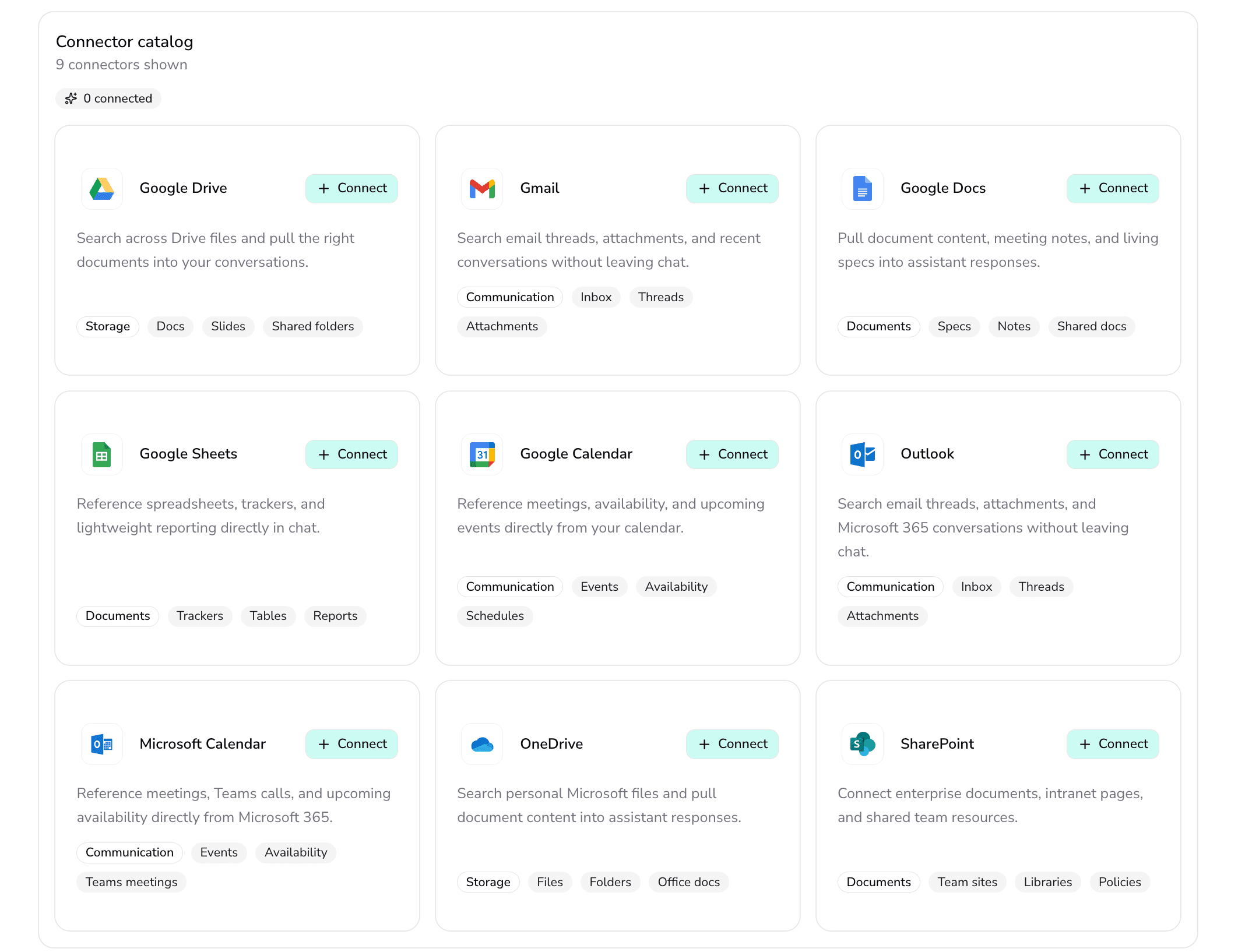
The connector catalog at /connectors — connect Google Workspace and Microsoft 365 services with one click.
All connectors
 Google Drive
 Google Docs
 Google Sheets
 Google Calendar
 Gmail
Gmail Outlook
 Microsoft Calendar
 OneDrive
 SharePoint
All connectors use read-only OAuth scopes.
Google Workspace
Google Drive
Search, browse, and retrieve files from a user's Google Drive. Supports filters by MIME type, folder, date, starred status, and trash.
- Search with MIME type, folder, date, starred, and trashed filters
- File metadata retrieval (name, size, modified date, sharing status)
- Content download with automatic text extraction for Office, PDF, CSV, and TXT
- Results shown as browsable file cards in the chat
Google Docs
Read the full content of Google Docs using the structural API with automatic markdown conversion.
- Structural API access for full document content
- Automatic markdown conversion: headings, lists, tables, image placeholders
- Preserves document structure for accurate AI interpretation
Google Sheets
Retrieve spreadsheet data from Google Sheets for the AI to analyze and reference during conversations.
- Sheet data retrieval for AI analysis
- Multiple sheet support within a single spreadsheet
- Data formatted for AI consumption
Google Calendar
Query calendar events by date range, extract attendees, and detect meeting links for Google Meet, Zoom, and Teams.
- Date-range event queries
- Attendee extraction from event details
- Meeting link detection for Google Meet, Zoom, and Teams
- Event metadata: title, time, location, description
Gmail
Search and read emails with thread grouping, sender and text filtering, full body retrieval, and attachment metadata.
- Thread grouping for conversation view
- Filter by sender, subject, and body text
- Full email body retrieval
- Attachment metadata listing
Microsoft 365
Outlook
Search and read Outlook emails with thread grouping by conversationId, sender and text filtering, and full body retrieval.
- Thread grouping by conversationId
- Sender and text filtering
- Full body and attachment metadata retrieval
- Graph API integration via per-user credentials
Microsoft Calendar
Query calendar events by date range with attendee extraction and meeting link detection for Teams and Zoom.
- Date-range event queries via Graph API
- Attendee extraction from event details
- Teams and Zoom meeting link detection
OneDrive
Search files, retrieve metadata, and download content from OneDrive with the same text extraction pipeline used for uploads.
- File search across OneDrive personal and business storage
- Content download with shared text extraction pipeline (Office, PDF, CSV, TXT)
- Metadata lookup: name, size, modified date, sharing status
SharePoint
Access enterprise documents, intranet pages, and shared team resources from SharePoint sites.
- SharePoint site-level file access
- Content download with shared text extraction pipeline
- Metadata lookup: name, size, modified date, sharing status
Connector infrastructure
OAuth flows & credential storage
Each connector uses OAuth with offline access. Tokens are stored per-user in the database and refreshed automatically.
- OAuth consent screen with offline access for token refresh
- Callback exchanges auth code for access + refresh tokens
- Credentials upserted to user_connector table per-user
- Google: /me profile lookup; Microsoft: Graph API /me profile lookup
Connectors dashboard
A management dashboard at /connectors where users search, filter by category, and connect or disconnect workspace accounts.
- Search connectors by name
- Category filtering (Google, Microsoft)
- Connect and disconnect actions with OAuth redirect
- Toast feedback for successful connections
9 workspace connectors, ready to use.
Google and Microsoft workspace data accessible from inside conversations.


