AI Skills
Reusable instructions that shape how the chatbot behaves. Users create skills in a markdown format, and the AI retrieves them automatically during conversations when relevant.

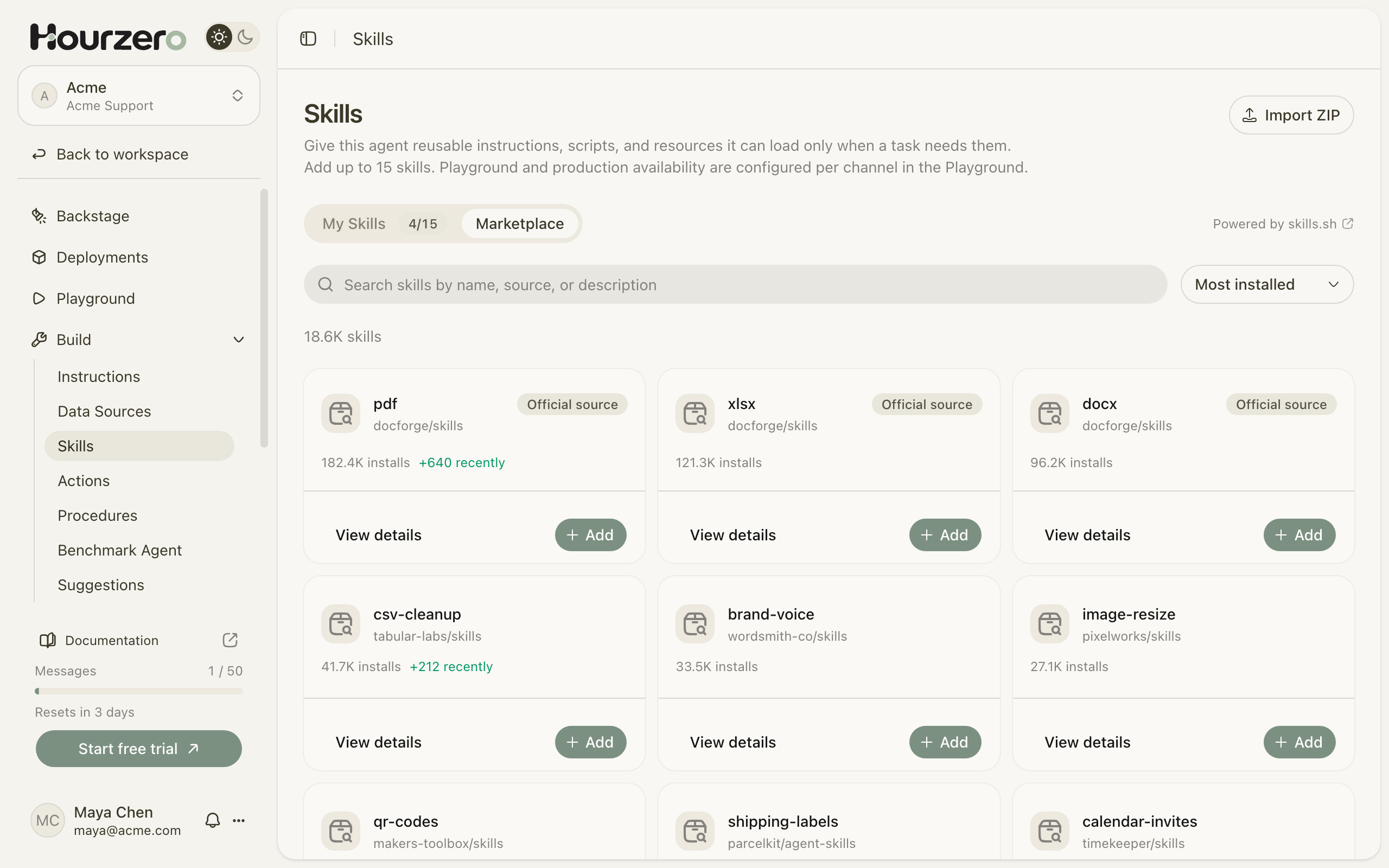
The skills dashboard at /chat-skills — create, edit, preview, and manage reusable AI instructions.
Markdown authoring
Skills are written as markdown documents with YAML frontmatter for metadata. No forms or rigid templates — just a name, description, optional dependencies, and the instruction body.
- YAML frontmatter: name, description, and dependencies fields
- Markdown body for the actual skill instructions
- Live preview alongside the editor
- Dependency badges displayed in the skill list
AI tool integration
The chatbot has a built-in skill tool with two modes. It can list available skills by name, or retrieve a specific skill's full body to follow its instructions.
- list mode: returns up to 50 skills, optionally filtered by partial name
- retrieve mode: fetches a single skill by exact case-insensitive name match
- Returns name suggestions when no exact match is found
- The AI checks skills at the start of conversations alongside memories
Parent-child relationships
Skills can reference a parent skill, enabling composable instruction hierarchies. A top-level skill can define general behavior while child skills specialize it.
- Optional parentId field links to another skill
- Parent deletion sets child parentId to null (no cascading loss)
- Filterable by parentId in the list query
- Enables layered instruction sets for complex workflows
Organization and team sharing
Share skills across your organization or with specific teams. The backend supports full sharing CRUD through dedicated tRPC procedures.
- Share a skill org-wide or with a specific team
- Share rows tracked in ai_skills_share table
- 7 sharing procedures: share, listShared, listAllSharedForUser, getSharesBySkillId, updateShare, upsertShare, deleteShare
- Organization-scoped: skills are isolated per-org or personal context
Skills dashboard
A dedicated management UI at /chat-skills integrated into the chat sidebar. Search, create, edit, preview, and delete skills without leaving the chat experience.
- Lives inside the (chat) layout with the same sidebar and shell
- Debounced search by skill name
- Create and edit with live markdown preview
- Auto-collapses the sidebar to prioritize the editing workspace
- Inline tool result cards in chat: collapsible cards for list and retrieve results
Full tRPC API
12 type-safe tRPC procedures covering owned-skill CRUD and sharing operations, all scoped by activeOrganizationId.
- skills.create — create a skill in personal or org context
- skills.list — search, filter by parent, paginate, and sort
- skills.getById — fetch a single skill by UUID
- skills.update, skills.upsert, skills.delete — full mutation support
- skills.share, skills.listShared, skills.deleteShare — sharing CRUD
Custom behaviors, not just prompts.
Skills give users control over how the AI works — shareable and reusable across conversations.