

How procedures run
See how your agent picks a procedure, works through each step, waits for answers, and finishes, using a real chat as the example.
You never start a procedure by hand. In every conversation, your agent reads the When to use line of each procedure it can use, and it starts one only when it clearly fits what the customer wants. This page shows what happens from there, so you know what to expect and what to test.
Where to find it: you build procedures in Build → Procedures. You watch them run in the Playground and in Activity → Conversations.
How it works
- 1MatchThe agent compares the message with each procedure's "When to use".
- 2Load stepsIt opens the latest saved steps before doing anything.
- 3FollowIt works through the steps in order, taking one path at each decision.
- 4WaitIt pauses for the customer's answers and picks up where it left off.
- 5FinishIt closes the procedure when the task is done or the customer moves on.
A conversation, step by step
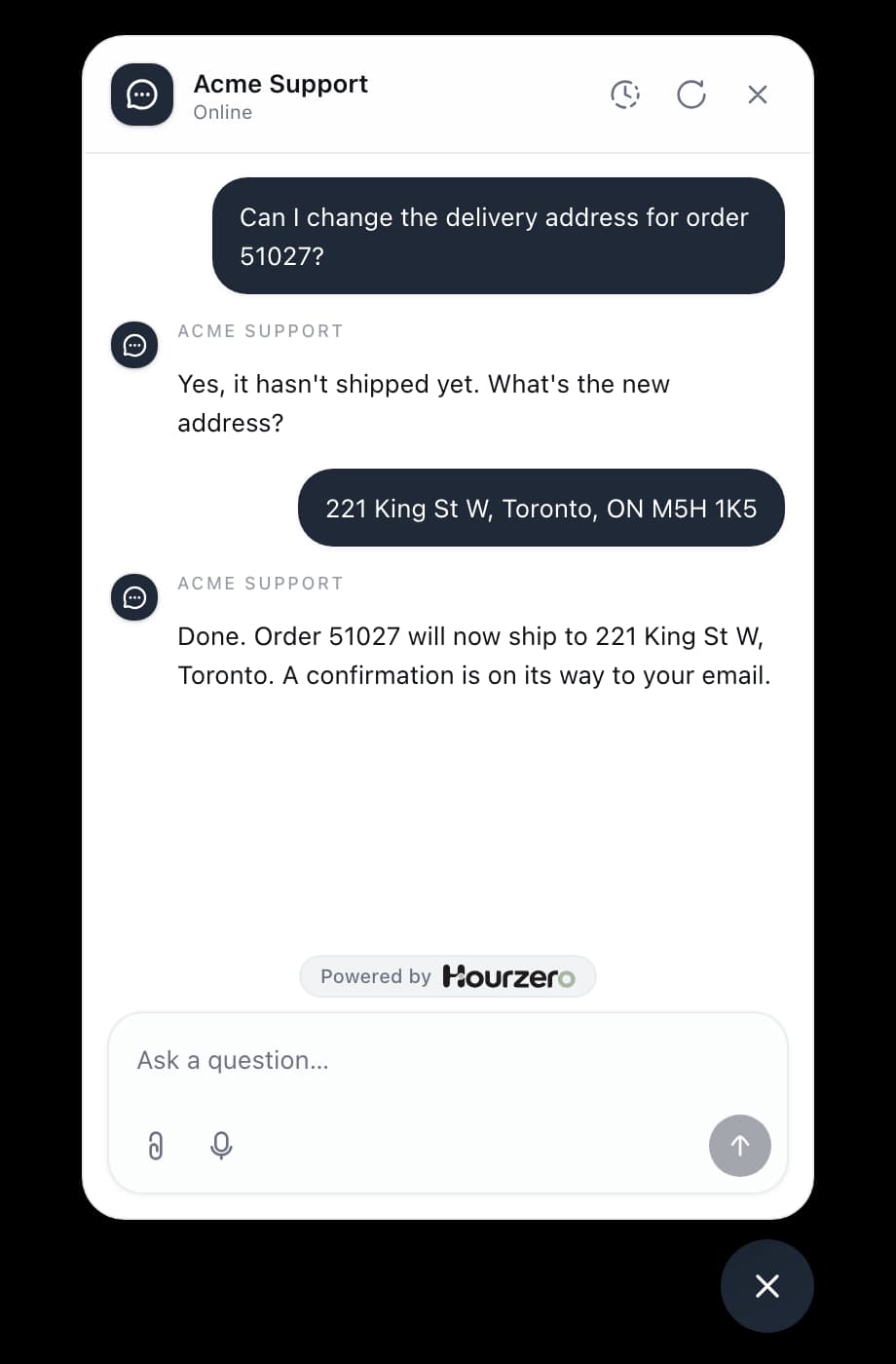
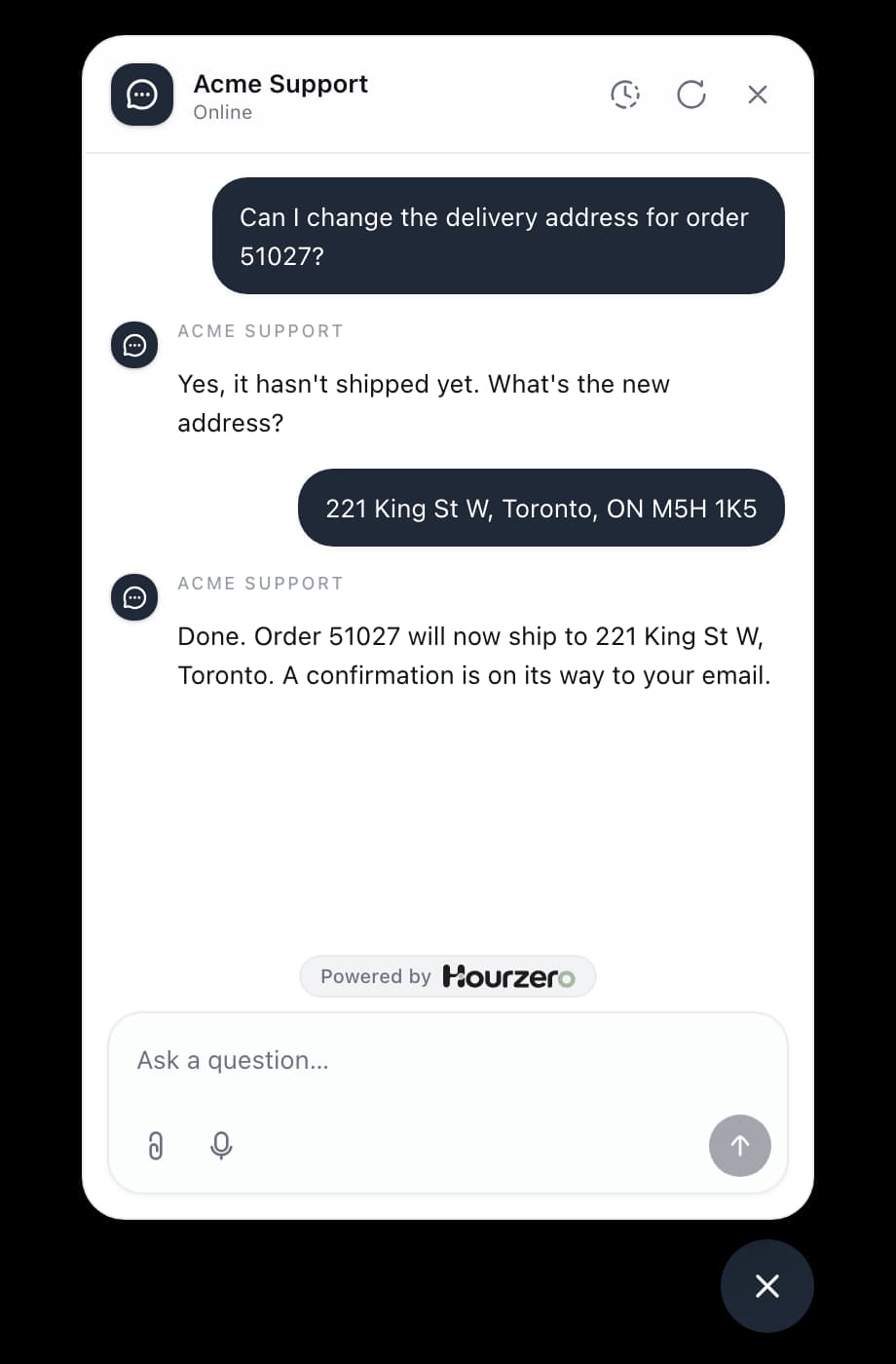
Here's the Acme delivery address procedure from the procedures overview in a real chat. Its steps are: ask for the order number and new address, check the order with @look_up_order, then update the address if it hasn't shipped, or explain and offer a carrier redirect if it has.
- The customer writes: "Hi, can I change the delivery address on my order?" This matches When to use, so the agent starts the procedure and loads its steps.
- Step 1: the agent asks, "Sure. What's your order number, and what's the new address?" Then it waits. The procedure stays open while the customer types.
- The customer replies: "It's 51027. The new address is 221 King St W, Toronto." The agent loads the steps again and sees step 1 is done.
- Step 2: the agent runs
@look_up_orderwith order 51027. The result says the order hasn't shipped. - The decision: "If the order hasn't shipped yet" matches, so the agent takes that path and ignores the other.
- The update: the agent runs
@update_address, waits for the result, and only then tells the customer the address is changed. - The end: the task is finished, so the agent closes the procedure. If the customer asks something else, the agent answers it normally.
How the agent decides to start one
For each new message, the agent looks at the procedures it can use on that channel. It reads each one's When to use line, along with its name and summary. If one is a strong match, it starts it. If none fits, it answers normally using your instructions and knowledge.
A procedure is only on the agent's list when all of these are true:
- It's Active and not archived.
- It's switched on for this channel. In the Playground, check the Procedures card on the Capabilities tab.
- Every action it mentions with
@is switched on for this channel too.
One missing action skips the whole procedure
If even one of its actions is off on a channel, the agent doesn't use that procedure there at all. It never runs half a procedure. Check the Actions card on the Capabilities tab for each channel.
The agent follows only one procedure at a time. If a customer switches to a different task partway through, the agent closes the first procedure before it starts another.
How it follows the steps
The agent works through the steps from top to bottom. It doesn't skip a step, change the order, or make up a rule you didn't write.
At a decision, it checks the If condition first, then each Else if in order. It takes the first path that matches. If none match, it takes the Else path. It only ever follows one path, then carries on with the next step after the decision.
In the Acme example, an order that has already shipped skips the update and goes to the Else path. The agent explains the order is on its way and offers to redirect it with the carrier.
When a step needs an action
An @ tag, like @look_up_order, tells the agent which action to use for that step. The agent fills in the details from the conversation, such as the order number the customer gave.
The agent treats the action's result as the truth. Mentioning an action, or the customer saying "yes, go ahead", isn't proof that anything happened. The agent should only say something is done once the action confirms it.
Say it in the step, too
Add a line like "Only say the address is changed after @update_address confirms it." It makes the rule hard to miss.
If you switch off one of its actions while a procedure is running, the agent drops that procedure instead of carrying on with steps it can no longer complete.
When the agent is waiting for an answer
A procedure stays open between messages for as long as the customer needs. When the customer replies, the agent loads the steps again and reads the conversation so far to see what's already done. It won't run an action twice, like looking up the same order again.
When you change a procedure
The agent always uses the latest version of a procedure, never an old copy from earlier in the chat. If you save a change while the agent is in the middle of replying, it uses the new version from the customer's next message.
Where your changes show up depends on where the customer is chatting:
- Playground: uses your latest saved procedures straight away.
- Live channels: keep the procedures they were published with. Your edits reach customers when you publish that channel again.
How a procedure ends
The agent closes a procedure for one of two reasons:
- The task is done. The procedure reached its end, like the address being updated or the customer being told what happens next.
- The customer changed topic. For example, halfway through the address change they ask, "Actually, do you ship to Canada?" The agent closes the procedure and answers the new question.
While the agent is still waiting for an answer or an action result, the procedure stays open.
See what the agent did
You can check exactly which procedure and actions the agent used in any conversation.
- Go to Activity → Conversations. To find your test chats, choose the Playground filter.
- Open the conversation.
- Look for the collapsed boxes in the agent's replies, marked Internal details · Not visible to visitors. A box starting with Procedure shows the procedure the agent loaded. A box starting with Action shows an action it ran.
- Open an Action box to see what the agent sent and what came back. The status on the right says Result received or Failed.
Customers never see these boxes. They only see the agent's replies.
Test a procedure in the Playground
Test more than the happy path. Go through this list before you publish:
- Send a message that matches When to use. Stop when the agent asks for details, and check it asked for the right ones.
- Reply in a second message. Check the agent carries on and doesn't repeat what it already did.
- Try every path of every decision. For Acme, test an order that hasn't shipped and one that has.
- Change topic halfway. Check the agent leaves the procedure and answers the new question.
- Switch off one of the procedure's actions for this channel. Check the agent no longer follows the procedure, then switch the action back on.
- Open the test chat in Activity → Conversations and check the Procedure and Action boxes.
- Repeat on every channel where you set up actions differently.
Note
Playground messages use credits, the same as messages from customers.
Troubleshooting
The agent doesn't start my procedure
Check that the procedure is Active, switched on for this channel, and that all its actions are switched on for this channel. Then make When to use match the way customers actually ask, for example "The customer wants to change the delivery address on an order."
The agent starts it at the wrong time
When to use is probably too broad. "Help with orders" matches almost anything. Narrow it to one situation.
The agent says something is done, but it isn't
Open the conversation and check the Action box. If it says Failed, fix the action. Either way, add a line to the step saying the agent may only confirm after the action succeeds.
It works in the Playground, but not on my live channel
Live channels keep the procedures they were published with. Publish the channel again. Also check that the procedure and all its actions are switched on for that channel.