

Usage and credits
See how agent replies turn into credits, when credits reset, and how to keep spending under control.
Credits are how Hourzero measures what your agents use. It works like a prepaid phone plan: your workspace gets a balance every month, and each agent reply uses a few credits from it. The Usage page shows where those credits go.
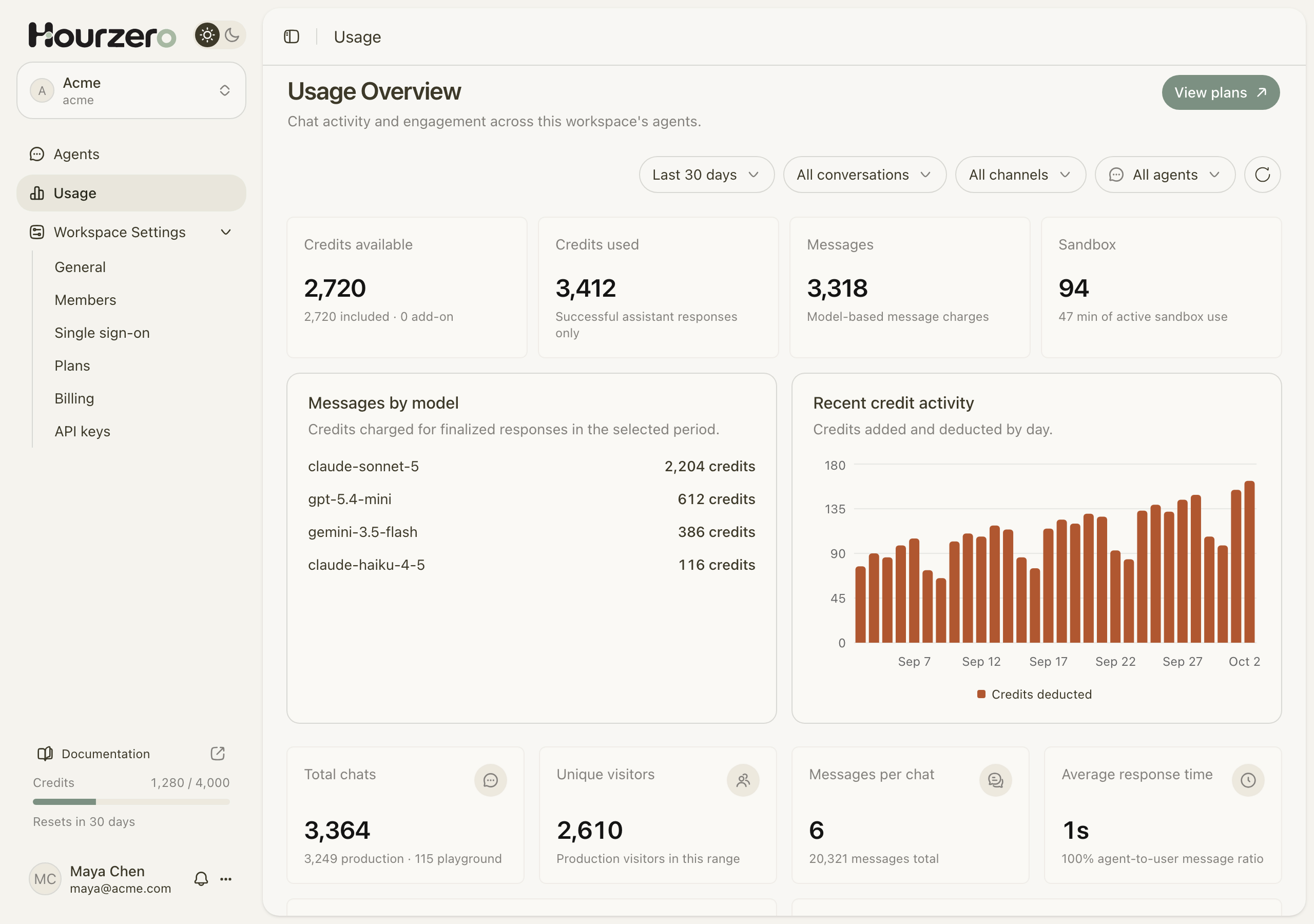
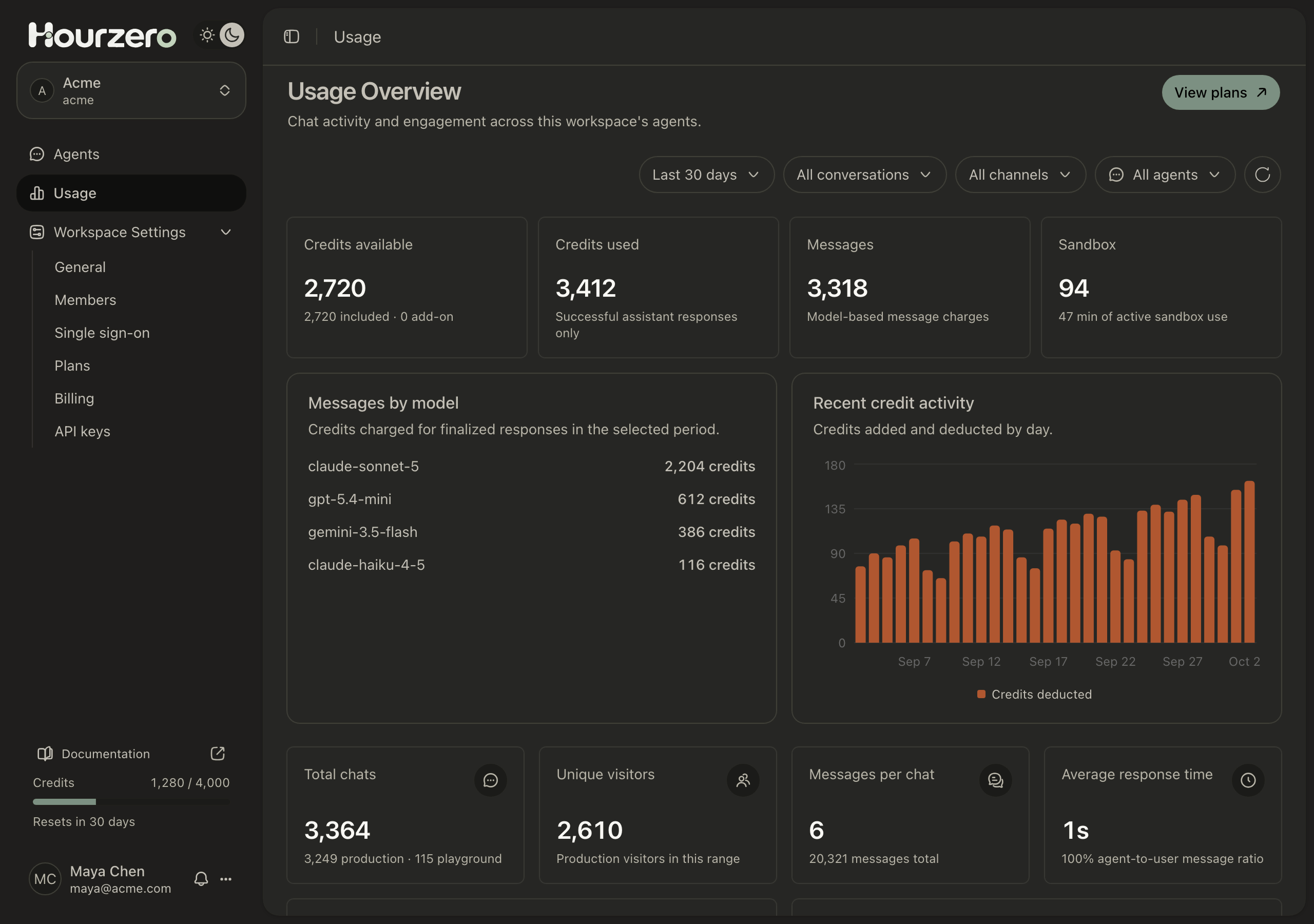
Where to find it: select Usage in the workspace sidebar. The Credits meter at the bottom of the sidebar also shows how many included credits you've used and when they reset.
How credits work
- 1Monthly creditsYour plan adds included credits each month.
- 2Agent repliesEach reply uses credits based on the AI model.
- 3Shared balanceAll agents in the workspace draw from the same balance.
- 4ResetUnused included credits expire and a fresh batch arrives.
What uses credits
Only two things use credits:
- Agent replies. Each reply costs a fixed number of credits, set by the AI model the agent uses. It doesn't matter how long the reply is. Replies in the Playground count too.
- Skills that run code. Code execution skills use the model provider's own code execution tools. New replies do not incur sandbox-minute credits. Provider tool costs can still apply.
Models are grouped by price:
| Group | Credits per reply | Examples |
|---|---|---|
| Efficient | 1 | Auto, GPT-6 Luna, GPT-5.4 Mini, Gemini 3.5 Flash |
| Advanced | 2–3 | GPT-5.5 and Claude Haiku 4.5 (2), Claude Sonnet 5 (3) |
| Frontier | 4 or more | Claude Opus 4.5 (4), Claude Fable 5 (7) |
To see the exact price of any model, open the agent's Playground, select the model on the Overview tab, and hover a model in the list. The tooltip shows, for example, "Pricing: 3 credits per response". See AI models for help choosing.
What doesn't use credits
- Messages your customers send.
- Replies you write yourself after you take over a conversation with Pause AI.
- Replies that fail with an error. Only successful replies are charged.
- Training, Backstage, benchmark runs, and Improve with AI on the Instructions page.
Example: from messages to credits
Acme is on the Standard plan, which includes 4,000 credits a month. Acme Support uses Claude Sonnet 5, which costs 3 credits per reply. A customer asks about returning a jacket:
| Message | Credits |
|---|---|
| Customer: "Can I return a jacket I bought last week?" | 0 |
| Acme Support explains the return policy | 3 |
| Customer: "It's order 48213." | 0 |
| Acme Support confirms the order can be returned | 3 |
| Customer: "Do I pay for return shipping?" | 0 |
| Acme Support answers | 3 |
| Total for this conversation | 9 |
The same conversation with GPT-5.4 Mini (1 credit per reply) would cost 3 credits.
Code execution no longer adds application sandbox-minute credits to a new reply.
Over a month, 4,000 credits cover about 1,333 replies with Claude Sonnet 5, or 4,000 replies with a 1-credit model.
Tip
Start with an Efficient model, test your agent with real customer questions, and only move to a pricier model if the answers need more reasoning.
When your credits reset
Each plan includes a monthly amount of credits:
| Plan | Included credits per month |
|---|---|
| Free | 50 |
| Hobby | 700 |
| Standard | 4,000 |
| Pro | 15,000 |
| Enterprise | Custom |
- Free plan: credits reset on the 1st of every month (UTC).
- Paid plans: credits reset every month on the day your subscription started. Yearly plans get their credits monthly too.
- Unused included credits don't roll over. They expire when the new month's credits arrive.
- Add-on credits are extra credits bought on top of a plan. They don't expire, and they're used only after the included credits run out.
- Changing plans in the middle of a month adjusts your included credits right away to match the new plan.
Changing the date range on the Usage page changes the report, not your reset date.
When credits run out
When the workspace balance reaches zero, every agent in the workspace stops replying, on live channels and in the Playground. Customers on messaging apps such as WhatsApp don't get an answer.
To get going again, upgrade your plan in Workspace Settings → Plans, or wait for your next monthly credits. See Plans, billing, and invoices.
Important
All agents share one balance. A busy agent can use up the credits that a quieter agent needs. Use a weekly limit to protect against this.
Set a weekly limit for an agent
A weekly limit caps how many credits one agent can spend each week. It's a safety net for new or very busy agents.
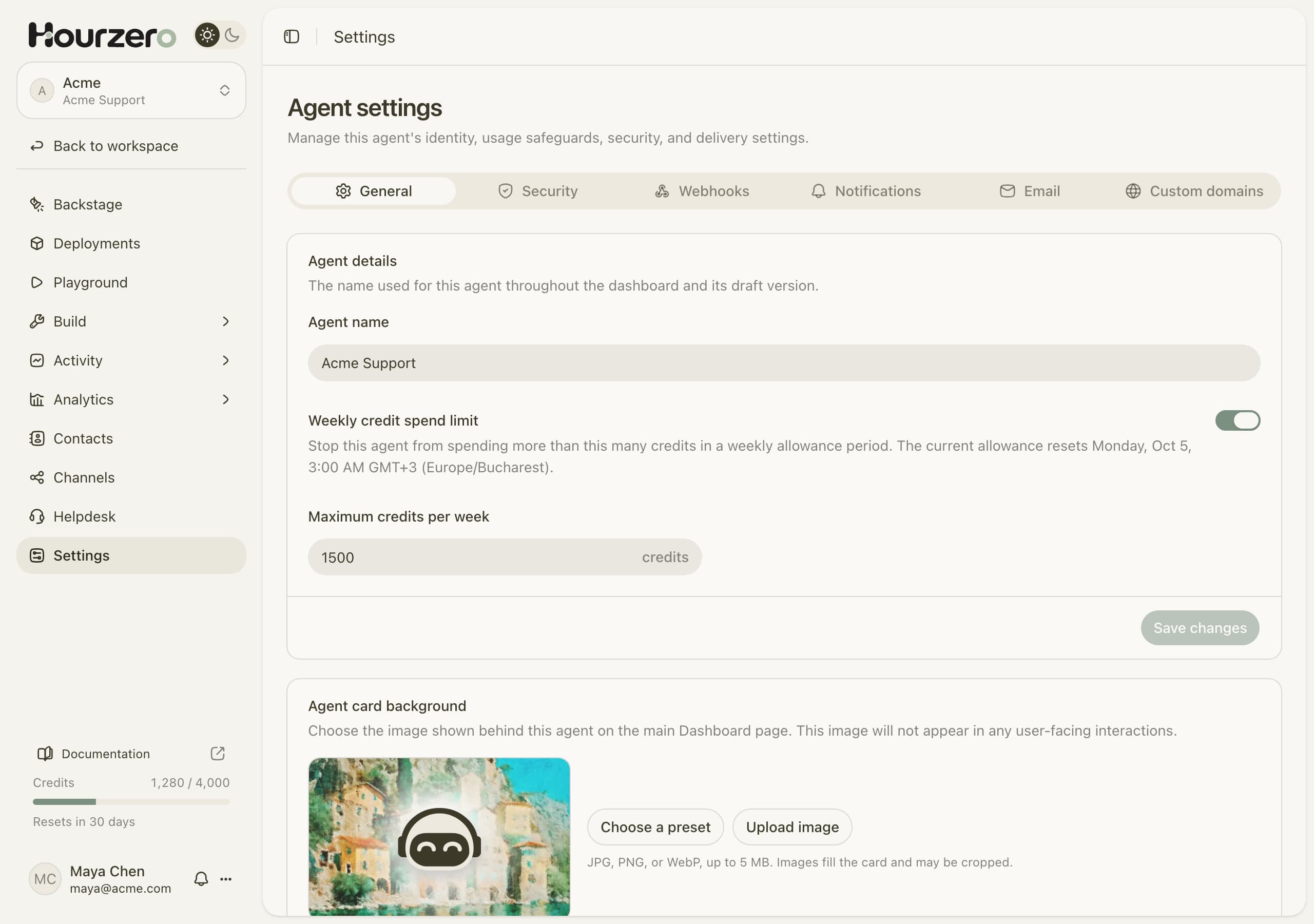
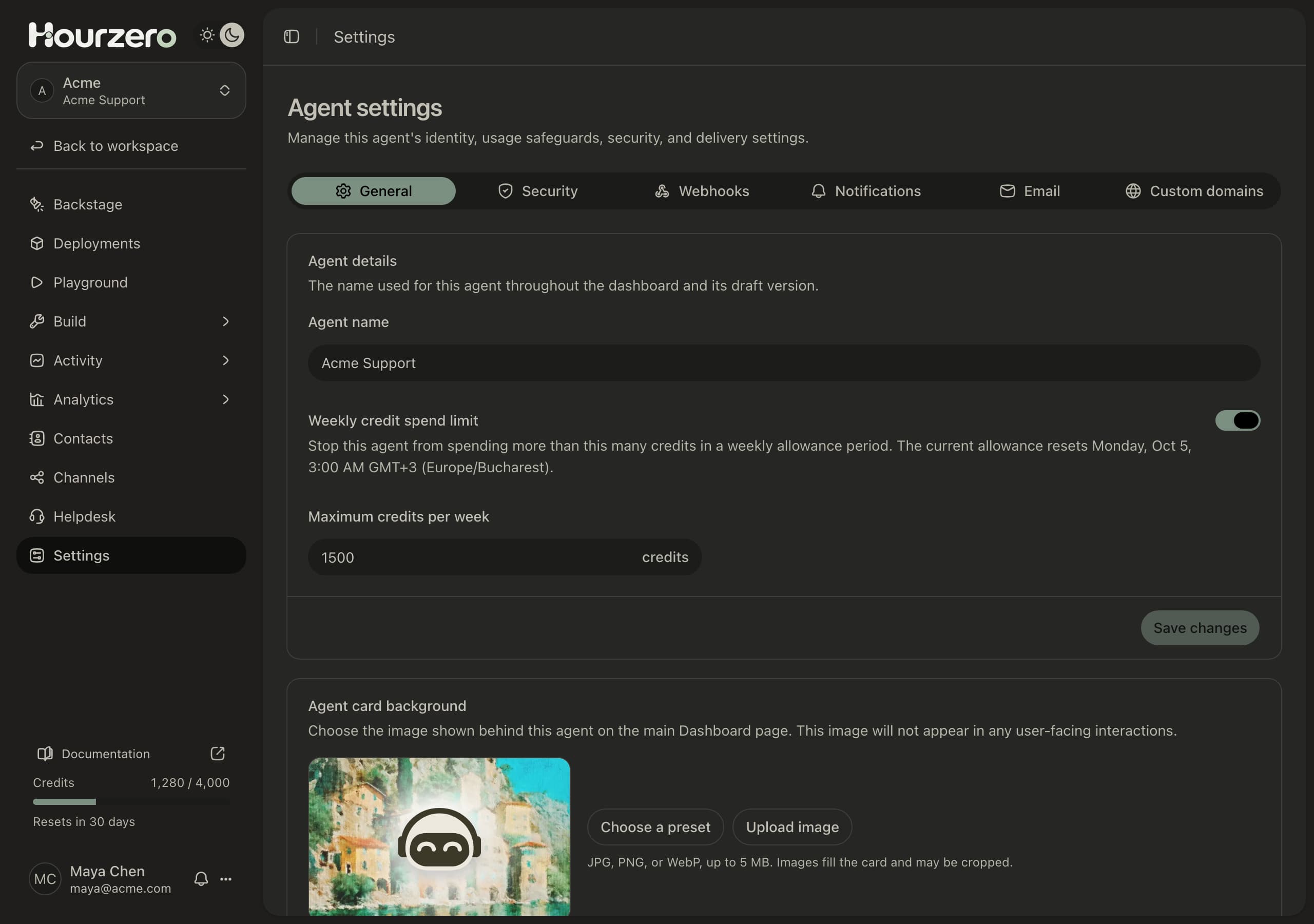
- Open the agent and go to Settings. Stay on the General tab.
- Turn on Weekly credit spend limit.
- Enter the Maximum credits per week, for example
1500. - Select Save changes.
The week resets every Monday at 00:00 UTC. The settings page shows the reset time in your own time zone.
When the agent reaches its limit, it stops replying until the next reset. Other agents keep working, and the workspace balance isn't affected.
Note
A weekly limit can't add credits. If the whole workspace is out of credits, raising an agent's limit won't help.
Read the Usage page
Use the filters at the top to narrow the report:
- Date range: Last 7 days, Last 30 days, Last 90 days, or All time.
- Conversations: All conversations, Production (live conversations with customers), or Playground (your own tests).
- Channel: All channels or one channel, such as WhatsApp.
- Agent: All agents or one agent.
- The round arrow button refreshes the numbers.
The cards at the top explain your credits:
- Credits available is your current balance, split into included and add-on credits. It's hidden when you filter by one agent.
- Credits used counts credits spent on successful replies and historical execution charges.
- Messages is the part spent on agent replies.
- Legacy execution shows historical sandbox charges and minutes.
Below them, Messages by model shows which models used the most credits, and Recent credit activity charts credits added and used over time. Further down you'll find chat totals and Usage by agent, which compares chats and messages per agent. Select an agent's name to open its Analytics.
Common questions
Why did usage jump after I changed something?
Check whether the agent's model changed to a pricier one, or whether a new skill now runs code. Compare Messages by model and the Legacy execution card before and after the change.
Do my Playground tests cost credits?
Yes. Every successful agent reply costs credits, including tests. Filter by Playground to see how much testing used.
The agent has credits left but isn't replying. Why?
Check the agent's weekly limit, whether the conversation is paused for a person to reply, and whether the channel is published. See Troubleshooting.